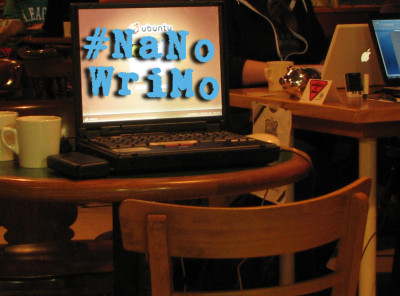
Surveillance and Software
With NaNoWriMo approaching, I shared a disturbing article about surveillance — “Adobe is Spying on Users, Collecting Data on Their eBook Libraries” on one of the NaNoWriMo boards I visit. This got me an acknowledgement that yes, we are being routinely spied on by our software, but there is nothing to worry about. “All software is keeping track of stuff we do with it, if it dials home it exchanges data.”
I disagree — I think there is an awful lot to worry about. Privacy is important, it’s a human right because people need it. Among other things, we do things differently when we arweree always being watched. As a writer, I can assure you that I can’t lose myself in my writing if someone is looking over my shoulder. (In fact, when I decided to write my first novel, I went out and bought a secret laptop because I wasn’t ready for my hubby to know I was trying to write a novel.) So I know very well that privacy matters.
The good news is that it isn’t quite as terrible as all that, because all software is *not* keeping track of stuff we do with it. That may be true of proprietary software, closed source, DRMed stuff that usually costs lots of money, but FLOSS — Free Libre Open Source Software — software that we usually don’t pay for & mdash; generally respects our privacy. Even if developers of free and open source wanted to hide spyware in their software, they wouldn’t get away with it long because anyone can look at your code. But closed source non-free software can hide any spyware or malware. The irony is, we pay them lots of money and then they spy on us and extract our data
But there is a whole world of free software available. Free software doesn’t just mean that we don’t pay money for it– sometimes Free Software costs money. There are two meanings for the word “free.” Free can mean “gratis” as in no money changes hands, or “freedom” which means our freedom to use it as we like is protected. Free software is sometimes identified as being Free as in Freedom (FaiF), but the reality is that most of it is Free as in “Gratis” as well.
For myself, I believe the Free as in Freedom part is the more important. It’s amazing how much faster a computer can be when you chuck Windows (which is phoning home constantly) for any of the GNU/Linux operating systems — which don’t phone home without my consent.
I was just reading a spirited discussion on the NaNoWriMo site http://nanowrimo.org/forums/nano-technology/threads/168821 where someone asked “Free alternative to Scrivener??” and a Scrivener fan suggested free software is inferior. Perhaps there was a time when free software was inferior stuff, but that is certainly not true now.
I appreciate that Scrivener is a small company that has developed a useful writing tool, as well as sponsoring NaNoWriMo. But not every tool is right for every writer; I think choice is the most important thing of all.
Maybe some day I’ll write about the free software philosophy and community, but today I just want to provide a quick introduction to some of the free software that might be handy for writers and self publishing novelists, when it’s still feasible for writers to learn how to use them before NaNo kicks off.
Useful Free Software for Self Publishing Authors
LibreOffice
A full “office” suite (similar to Microsoft Word) which includes:
- LibreOffice Base (database)
- LibreOffice Calc (spreadsheet/calculator)
- LibreOffice Draw
- LibreOffice Impress (presentations)
- LibreOffice Math
- LibreOffice Writer
LibreOffice is a fork of OpenOffice, which I haven’t since the split. I expect the two programs are still quite similar. Even though all these programs are included in the LibreOffice Suite, I have only ever used LibreOffice Writer (LOW) to any great extent. LOW is a reasonable word processing program; it generates nice PDFs and it’s capable of generating a wide variety of file formats, compatible with commercial proprietary formats.
gedit
Is a “notepad” like text editior, which does about the same things as MS Notepad. Talk about distraction free writing! I wrote the first draft of “The Girl In the Blue Flame cafe” with this, but I’ve now switched to LibreOffice for formatting since I don’t have time to learn LaTex right now.
“gedit provides a simple interface from which you have access to a full text editor with programming functions and is compatible with most languages. gedit incorporates text search and replace, spell checking, printing and support for opening almost any file.”
Because I use a Linux operating system, gedit and Libre Office are built in, so I don’t need to download it. It may be easier for you to get gedit here: http://gedit.en.softonic.com/
LaTex is a high quality typesetting program. Because I’m a perfectionist, I want to learn how to use this so I can layout my books exactly as I wish to. So far I’ve yet to learn this, but it is on my list.
GIMP (GNU Image Manipulation Program)
Even if you’re going to hire a professional down the road, you’ll at least want some placeholder cover art to display on your NaNowriMo page during November. As near as I can tell, GIMP is the free software equivalent of Photoshop. I’m really only just now getting the hang of it because I’ve had to unlearn Photoshop.
If you prefer a vector based graphic program, you should instead look at Inkscape.
Calibre
This amazing software was developed to help readers manage their eBooks, including format shifting eBooks, so they can be read on the desired device. But it is *also* a terrific tool for self-publishing authors, as it makes formatting eBooks a breeze.
FBReader (Free Book Reader)
Read eBooks on your computer ~ when you are selling eBooks, you want to make sure they display properly.
PageTurner
transforms my Android smart phone into an eReader. The best part is that it’s available through F-Droid, so I can by-pass Google Play.
Internet Tools
For research purposes you’ll need a good web browser, which might be:
Some good privacy respecting search engines that don’t track you are:
You’ll want to communicate with people, so you might want to consider using secure email like “Hushmail” or setting up PGP encryption for the email you’re currently using. (It is built in on Thunderbird Mail Thunderbird Mail Thunderbird Mail can haveGnuPG/PGP encryption added with a plug-in extension called “Enigmail”. Both Thunderbird and Enigmail are Open Source. The fork of Thunderbird called IceDove built is FAIF Software. /edited) Keep in mind that the “lite” version of Hushmail is not as secure as the original version. [CORRECTION: Bob Jonkman says: “Finally, Hushmail lost all credibility as a secure e-mail service when they handed over plain-text copies of supposedly secure e-mail to law enforcement agencies. Other, better secure e-mail providers have shut down their businesses rather than compromise their customers’ data. In today’s coercive corporate-driven legal environment, the only way to be sure your data is not being handed over to law enforcement or being sold to advertisers is to host it yourself.“]
Multimedia
When the time comes that you want to make a book trailer or edit a Crowdfunding pitch video, you will need good editing software, and fir that I can recommend KdenLive. This professional level video editing software is similar to Sony Vegas, but Windows users are out of luck as it only works on computers with Linux or FreeBSD and Mac OS X.
To get a really nice sound mix, once you’ve locked your picture you can export your audio tracks to Audacity. and then lay it back into kdenlive for a final render. There are many kinds of audio free software, so I have no doubt creating audio book formats is possible; I just don’t know how yet.
If you’re really energetic, you can make a full fledged 3D animation with the amazing free software Blender.
More Free Software Writing Programs
There are also a great many Free Software Writing programs I know of, but have not used myself. Because my own historical novel seems to be morphing into a trilogy, more organizational tools might help I will be looking at the ones that do the kinds of things Scrivener does, (oStorybook, Plume Creator, Kabikaboo, and maybe even the Scrivener for Linux – Beta; but not yWriter which is only for Windows).
On Clouds
I think Cloud based software is even more dangerous, because your work isn’t just locked inside proprietary software, it’s stored somewhere out there on some anonymous computer on the web and you don’t even know where. The only cloud I use is “OwnCloud” because I can self host it. That means I know where my work is, and it is always under my control. I would never choose a cloud based writing application where I do not have control of my work.
If you do choose to use any cloud based software, be sure to back up your work on your own computer for safety.
oStorybook ⇒ http://ostorybook.wordpress.com/
(needs java)
oStorybook is a free Open Source novel-writing program for creative writers, novelists, and authors. From the first idea to the finished book, oStorybook helps you keep an overview of multiple plot-lines, characters, locations, and so on while writing histories, novels, or other written works.
oStorybook assists you in structuring your book. Manage all your data such as characters, locations, scenes, items, tags, and ideas in one place. A simple consistent interface is provided to enable you to define objects, assign them to each scene, and keep an overview of your work with user-friendly chart tools.
Plume Creator ⇒ http://www.plume-creator.eu/site/index.php/en/
(only Windows and Ubuntu)
This software gives you an outliner, a distraction-free mode, a note manager and much more !
(This tool is in development, so you can expect new components will be added in the near future.)
Scrivener for Linux – Beta ⇒ http://www.literatureandlatte.com/forum/viewtopic.php?f=33&t=28280
Scrivener 1.7.2.3 Linux beta released 22nd July 2014 … this is a Beta (test) version available for Linux, but I am guessing it is not FaiF
yWriter ⇒ http://www.spacejock.com/yWriter5.html
(Only for Windows)
yWriter is a word processor which breaks your novel into chapters and scenes, helping you keep track of your work while leaving your mind free to create. It will not write your novel for you, suggest plot ideas or perform creative tasks of any kind. yWriter was designed by an author, not a salesman!
Text Block Writer ⇒ http://text-block-writer.en.softonic.com/
(Similar to Scrivener bulletin board)
Text Block Writer is a virtual index card program for writers. It can be used to organize research papers, articles, fiction, non-fiction, books and whatever related to writing.
It is intended for people like me who use paper index cards to write all the notes and pieces of an essay, and then arrange the pieces and then use that to type them into the computer.
Kabikaboo ⇒ https://launchpad.net/kabikaboo
Kabikaboo is meant to help you plan a novel, but could be used for anything that would benefit from tree-based text organization. Kabikaboo is not meant to create a formatted document – you should use AbiWord/ OpenOffice, LaTeX or some other editor for that purpose.
Trelby ⇒ http://www.trelby.org/
A free, multiplatform, feature-rich screenwriting program!
Freeplane ⇒ http://www.freeplane.org/wiki/index.php/Main_Page
Freeplane is a free and open source software application that supports thinking, sharing information and getting things done at work, in school and at home. The software can be used for mind mapping and analyzing the information contained in mind maps. Freeplane runs on any operating system that has a current version of Java installed. It can be run locally or portably from removable storage like a USB drive.
FreeMind ⇒ http://freemind.sourceforge.net/wiki/index.php/Main_Page
FreeMind is a premier free mind-mapping software written in Java. The recent development has hopefully turned it into high productivity tool. We are proud that the operation and navigation of FreeMind is faster than that of MindManager because of one-click “fold / unfold” and “follow link” operations.
Yarney ⇒ https://yarny.me/
(cloud based)
Snippets. A snippet is a piece of text. Long or short, it’s just a way to organize your writing. For extra organization, you can also drag and drop to reorder…
Abiword ⇒ http://www.abiword.org/
AbiWord is a free word processing program similar to Microsoft® Word. It is suitable for a wide variety of word processing tasks.
http://abiword.en.softonic.com/
Free and simple word processing program
WikidPad ⇒ http://wikidpad.sourceforge.net/
Software developers have grown accustomed to certain features from their integrated development environment that make their jobs easier. Features like auto-completion, outline views, incremental search, easy source code navigation. IDE’s that provide these features can greatly increase developer productivity. wikidPad attempts to utilize some of these features to address the problem of personal information management.
FocusWriter ⇒ http://gottcode.org/focuswriter/
FocusWriter is a simple, distraction-free writing environment. It utilizes a hide-away interface that you access by moving your mouse to the edges of the screen, allowing the program to have a familiar look and feel to it while still getting out of the way so that you can immerse yourself in your work.
PyRoom ⇒ http://pyroom.org/
Just you and your thoughts
Writing prose in a world as busy as the online world can be hard. Instant messengers, busy websites and other distractions can always get into your way when all you want to do is write.
TextRoom ⇒ http://textroom.sourceforge.net/
TextRoom and all other similar editors share one goal: to get you writing right away by providing distraction free environment to your liking, as well as familiar set of keyboard shortcuts to control its behavior. If you don’t feel comfortable already with your editor of choice, you may find it useful
Zim ⇒ http://freecode.com/projects/zim/
Zim is a graphical text editor used to maintain a collection of wiki pages. Each page can contain links to other pages, simple formatting, and images. Pages are stored in a folder structure, like in an outliner, and can have attachments. Creating a new page is as easy as linking to a nonexistent page. All data is stored in plain text files with wiki formatting. Various plugins provide additional functionality, like a task list manager, an equation editor, a tray icon, and support for version control. Zim can be used to keep an archive of notes, take notes during meetings or lectures, organize task lists, draft blog entries and email, or do brainstorming
Back in the day I was in love with WordPerfect. But the version I bought worked fine for me. But suddenly one day I was unable to print out my documents because my old version of WordPerfect did not support my new printer. I decided it wasn’t fair for the company to make the software that worked perfectly well obsolete, so I stopped using it. And I haven’t looked back since.
Anyone with a regular paycheck might be fine with subscription services, but through my experience as a creative free lancer I know free lance income can fluctuate wildly. One month there might be a lot coming in, while the next month may bring next to nothing. When the subscription is for a magazine, it’s no big deal if we let it lapse, but I am not willing to risk losing the writing tools I use to make a living.
Writers are a diverse lot; there is no one-size-fits-all solution. I hope I’ve provided you with some alternatives you may not otherwise have even heard of.
Whatever you choose to use, good luck on NaNoWriMo 2014.
glossary of software terms
Closed Source a lot of commercial software doesn’t allow the user to access, even to look at the code that makes the program work. Without transparency, any spyware or malware can be hidden within and no one will be the wiser.
Commercial Software can be free software or non-free software — it is is software that is sold.
Crippleware is deliberately disabled to allow you to try enough of it to like it, but you will have to pay to try the full version. When developers started withholding key features of software unless a payment was made (“For only $5 you can save your files!”) it was called Crippleware. Sometimes it is the complete program but only for a time limited free trial; if you fail to pay before the trial ends, the software stops working. Any documents made in the software’s proprietary formats may well be lost to you at this point.
FLOSS Free-Libre-Open-Source-Software is another widely used term for free open source software
Free Software is defined by the Four Freedoms by the Free Software Foundation (FSF). Frankly, I very much doubt free software would exist without the FSF. Free Software– often called Free-As-In-Freedom (FaiF) Software — respects your freedom. FaiF Software can be Commercial Software too — there’s nothing that prevents people from selling software that respects your freedom.
Freemium software, is like Crippleware with a positive spin. It is also missing features, but those are marketed as enhancements (“For only $5 you get the colour version!”)
OpenSource the software code is open, so it is possible to see what is in it. The term open source is usually used for commercial software.
Proprietary Software is software that is owned by someone else. We don’t actually buy Windows, Word, Final Draft, Scrivener etc. — they are the property of the corporation that owns the Intellectual Property. We pay for a license to use it, and when we click “I agree” we are accepting the Terms and Conditions spelled out in the legal document that specifies what we are legally allowed to do with their software for the duration of the license. Proprietary Software never respects your freedom. Just the fact that someone lays claim to owning the ideas behind the software makes it non-FAIF. And of course, such terms and conditions are subject to change (by the owner) without notice. Because you don’t actually own the software, you may be required to pay for upgrades, or the company that owns it can choose to stop supporting it (as Microsoft did with Windows XP) or the company can go out of business. In any of these scenarios, you could lose access to your work if it is locked in a proprietary format, which is why a friend of mine has dubbed it “ransomeware.”
Shareware and Freeware Originally there was Shareware, which encouraged people to distribute it, usually at no cost except the price of the media. Shareware can be FaiF Software when source code is made available and modifications are allowed. Some Shareware was Proprietary Software, as the authors did not supply source code and disallowed modifications. When developers starting asking for donations for Shareware the term Freeware was coined to differentiate no-cost software from software asking for donations. Freeware isn’t necessarily FAIF Sofware either.
Open Source Software (OSS) and FLOSS FaiF Software both make source code available, encourage wide distribution and modification. The main difference is philosophy: Open Source is primarily a good model for creating high-quality software; FAIF Software is primarily about respecting software users’ freedom.
Note: This glossary has been edited to correct errors since initial publication in response to @bobjonkman‘s comment below. He generously suggested my errors were minor, but I think they needed correcting just the same. I am not a tech person, but I do try and get it right. The original glossary text was and is in italic text, the corrections and additions are in plain text. The changes are extensive enough that Bob should certainly be credited as a co-author of the glossar,
 If you want to control your own data, you need to host it yourself. And that certainly will sound like a scary proposition. But is it any scarier that ripping up that carpet and replacing it with the tiles you want instead? We have no qualms about Do-It-Yourself projects in the physical world, it is not so much different in a digital world. Probably the biggest difference is that there are sure to be many more how-to videos on You-Tube for doing digital DIY. You can very often talk to actual people who made the software you need online via Twitter or through email. (Ever tried to ask Facebook a question?)